

Accessibility
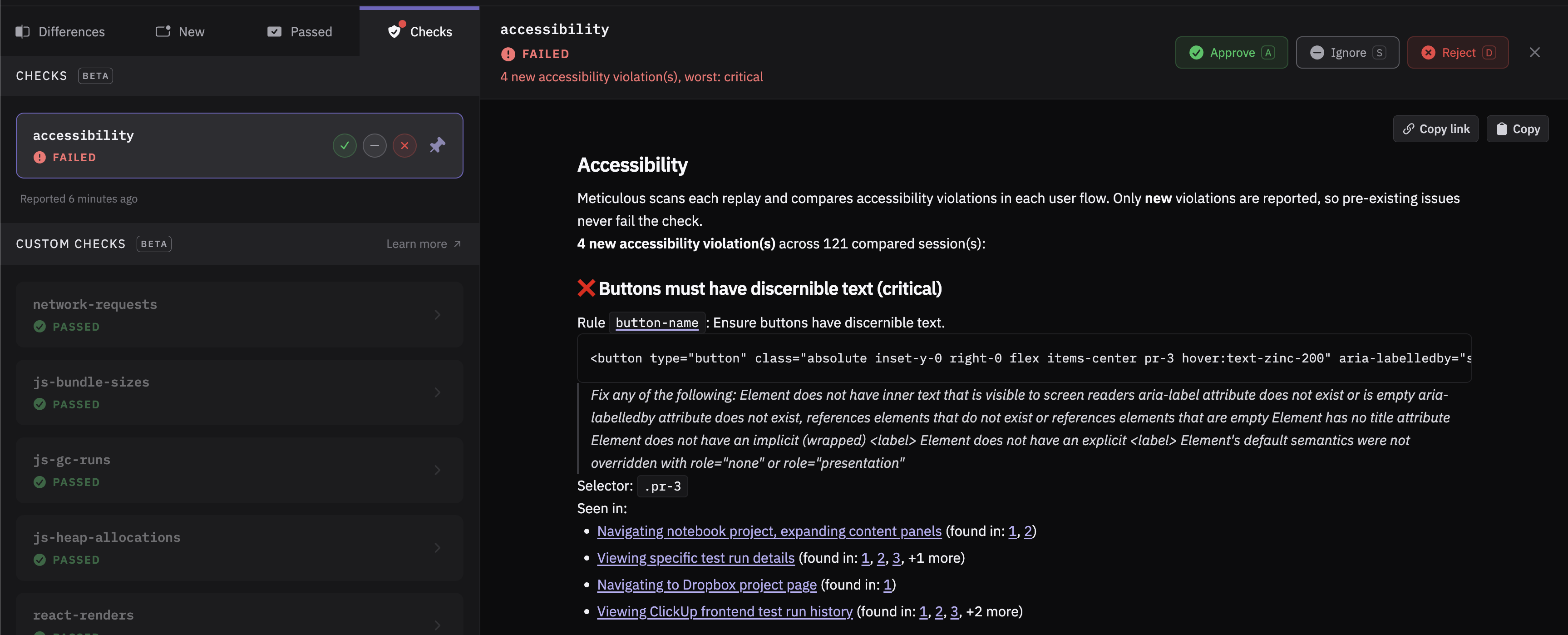
Meticulous supports accessibility regression testing. When a pull request is opened, Meticulous verifies that it does not introduce new accessibility regressions. If it does, the author of the pull request is notified with a comment and a failing CI check. Meticulous reports only new regressions, ignoring pre-existing ones.
How does detection work?
Every time Meticulous takes a screenshot of your application, it runs an accessibility check on the rendered web page. It then compares the pre-existing defects with the new ones and reports the freshly introduced regressions. Meticulous scans the screens and states reached by your recorded sessions on every run, with no extra tests to write or maintain. This extends accessibility regression testing across your existing visual test coverage.
Which accessibility rules are tested?
Meticulous checks your application against a curated list of accessibility rules. These include text alternatives for images, accessible names for interactive elements and form fields, ARIA validity and required attributes, and a handful of high-signal document and semantic checks. On Settings → Checks, choose a WCAG version (2.0, 2.1, or 2.2) and level (A, AA, or AAA), then apply the available checks for that target. AA includes A checks, and AAA includes A and AA checks. The catalog currently contains no AAA-specific checks, so AAA selects the same checks as AA. Applying a preset replaces your WCAG rule selection, turning off checks outside that target, while preserving your separate best-practice choices. You can also toggle individual rules. Each rule's badge shows its level and earliest WCAG version; the rule also applies to later versions.
These presets select available checks; they do not establish WCAG compliance. Meticulous tests a curated subset of requirements on recorded screens and reports new violations against the base run. A full conformance assessment also requires manual testing. A newly enabled rule starts reporting new violations once a base run has scanned that rule too.
Does the check block merging?
The accessibility check is blocking by default, but it can be configured to never block pull requests. You can change this yourself on Settings → Checks, no Meticulous admin needed.
How can accessibility testing be enabled?
Reach out to the Meticulous team at support@meticulous.ai and we'll turn it on for your project. The check can optionally be enabled for a subset of users rather than the entire team.