

Meticulous now runs reliably against complex server-side rendered apps and custom build pipelines, without preview URLs or the tunnel. You can now upload your app as a Docker container for Meticulous to run test replays against. This gives teams a more reliable, faster, and cheaper way to run Meticulous. You should only switch if you're not using the static asset upload method. See docs for more info.
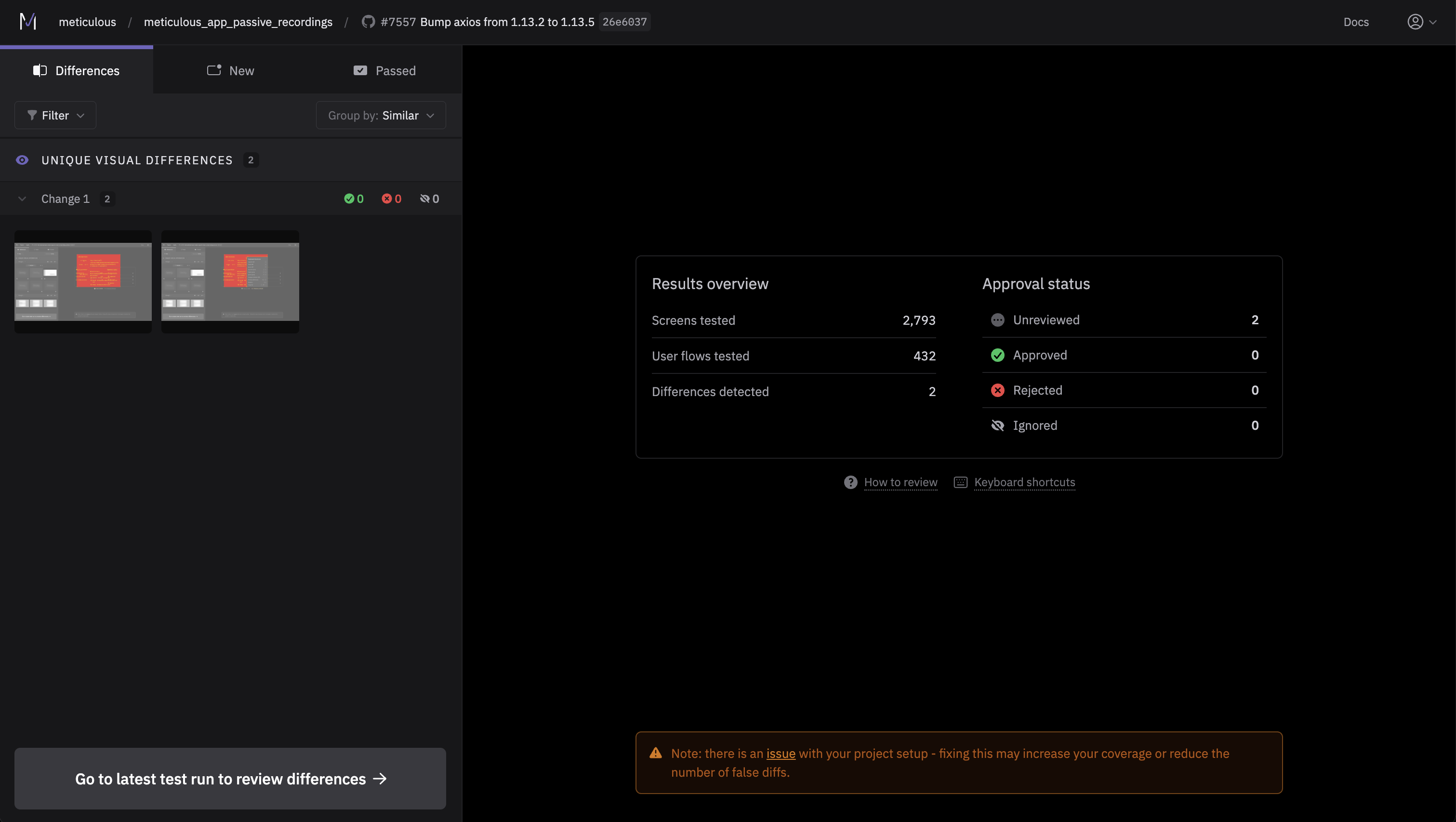
We've redesigned the content on the test run landing page to provide more helpful information including: sessions run, approvals, an updated "how to review" section, and keyboard shortcuts for our power users.
- 🖼️ Iframe Network Recording – Network requests inside iframes are now captured, improving coverage for apps with embedded content.
- 🌈 Timeline Tab Improvements – Better colour scannability and filtering in the replay timeline view.
- 🔍 Improved Divergence Details – Redesigned divergence information UI with clearer context on what changed and why, making it easier to understand diffs at a glance.
- 🔗 Stable Diff Links – We've updated our selected difference URL format to make sharing differences with other users smoother.
- ⚡ Faster Session Repair – Core engineering work that significantly improves the speed of network patching.
- 🔐 OAuth JWT Authentication – Added OAuth JWT to make Meticulous CLI commands easier to access.