Metrics dashboard, inspect panel redesign, and Debug with AI

A new metrics dashboard, a redesigned inspect panel, Debug with AI in the UI, and more.

๐Ÿ“Š Metrics Dashboard

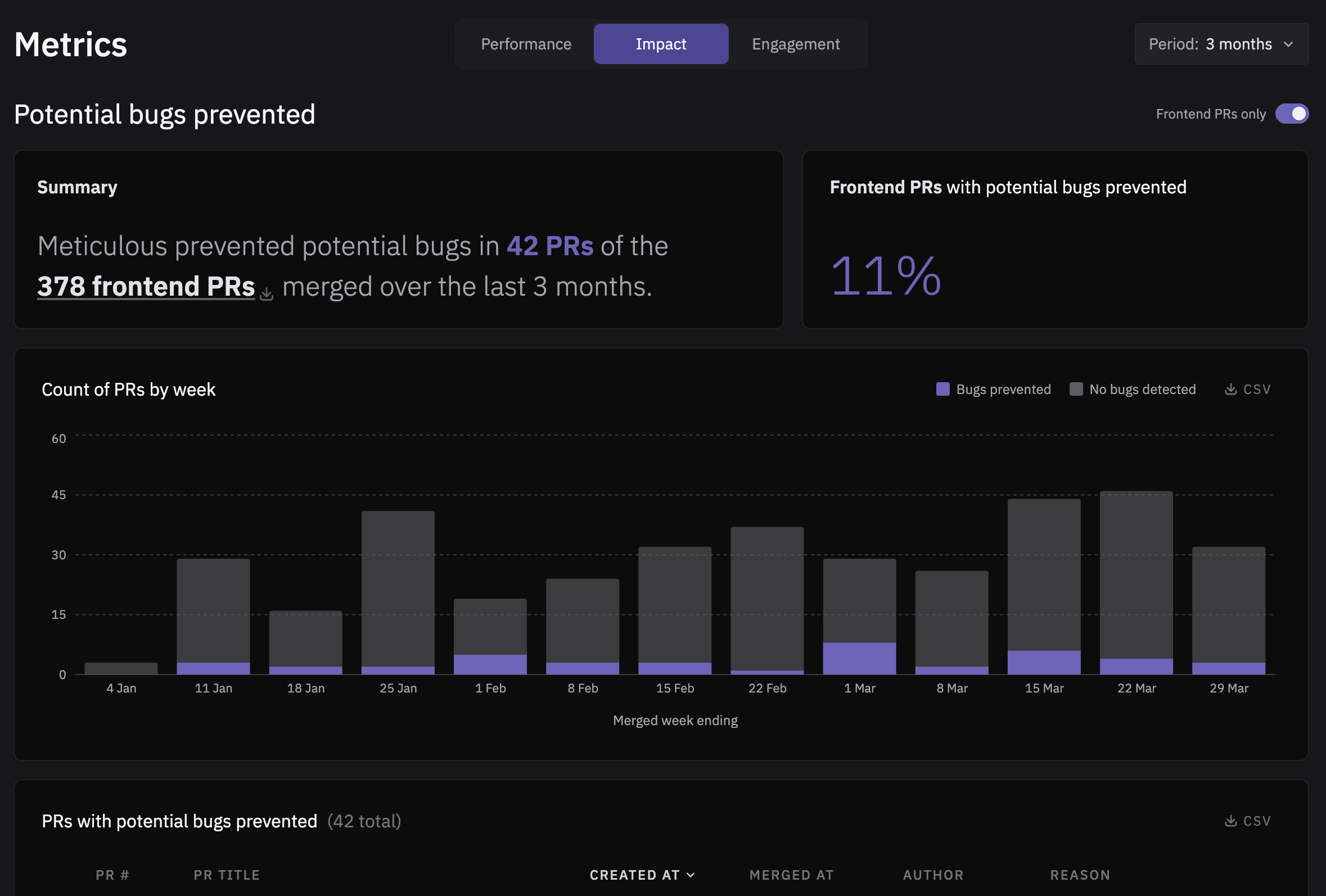
We've built a new dashboard that gives you a bird's-eye view of how Meticulous is performing across your project: track code coverage trends, test run execution time, user engagement and potential bugs that Meticulous has flagged. You can access it from your Meticulous project page.

Metrics Dashboard

๐Ÿ” Inspect Panel Redesign

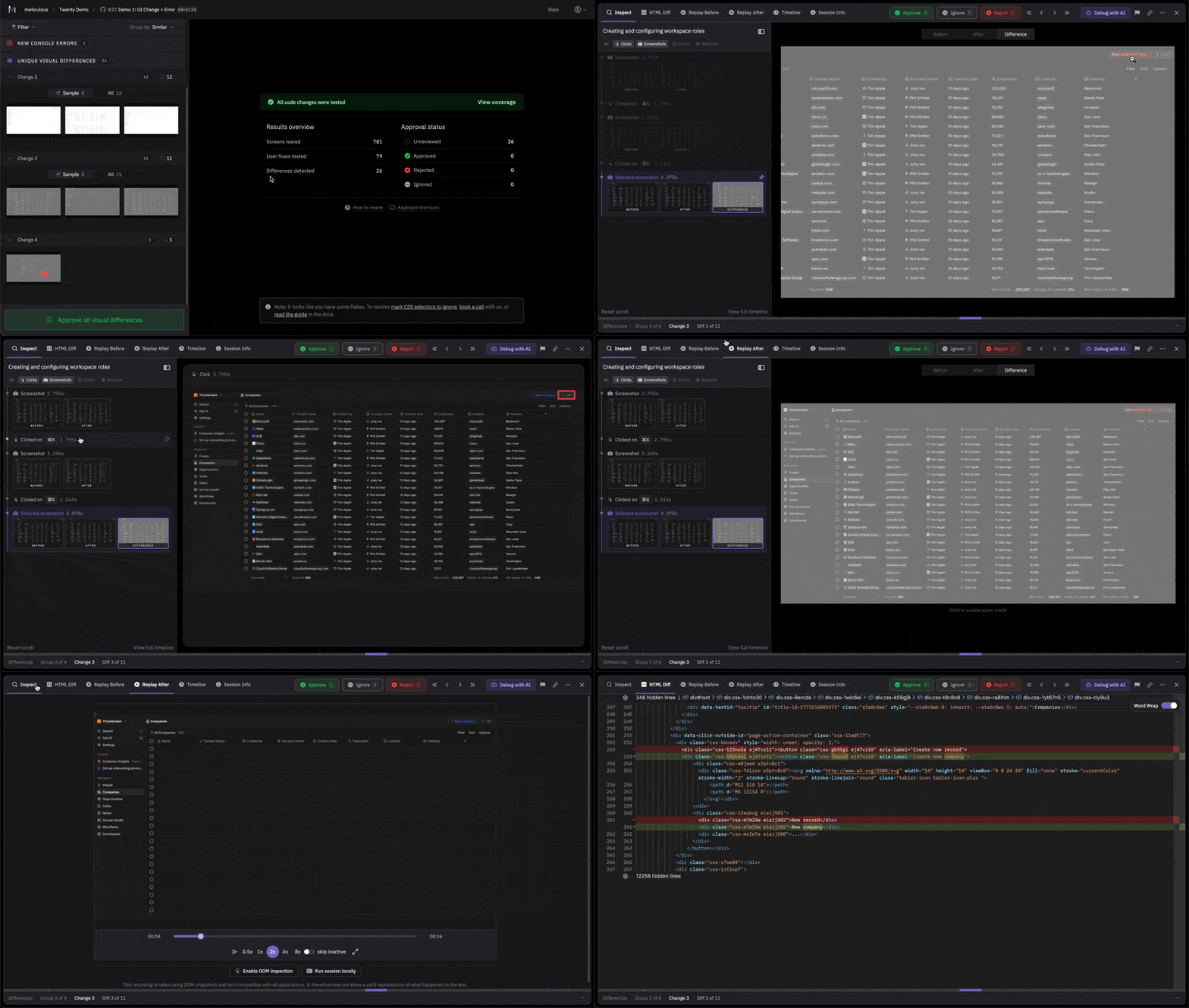
We've rebuilt the timeline sidebar to make the events leading up to a diff much more intuitive, so you're not scrolling through 47 duplicate rows wondering what went wrong in this test run or your life. This is just the beginning of our planned design work to better surface relevant context around each visual difference, so let us know what is and isn't working for you.

New inspect panel

๐Ÿค– AI. AI Everywhere!

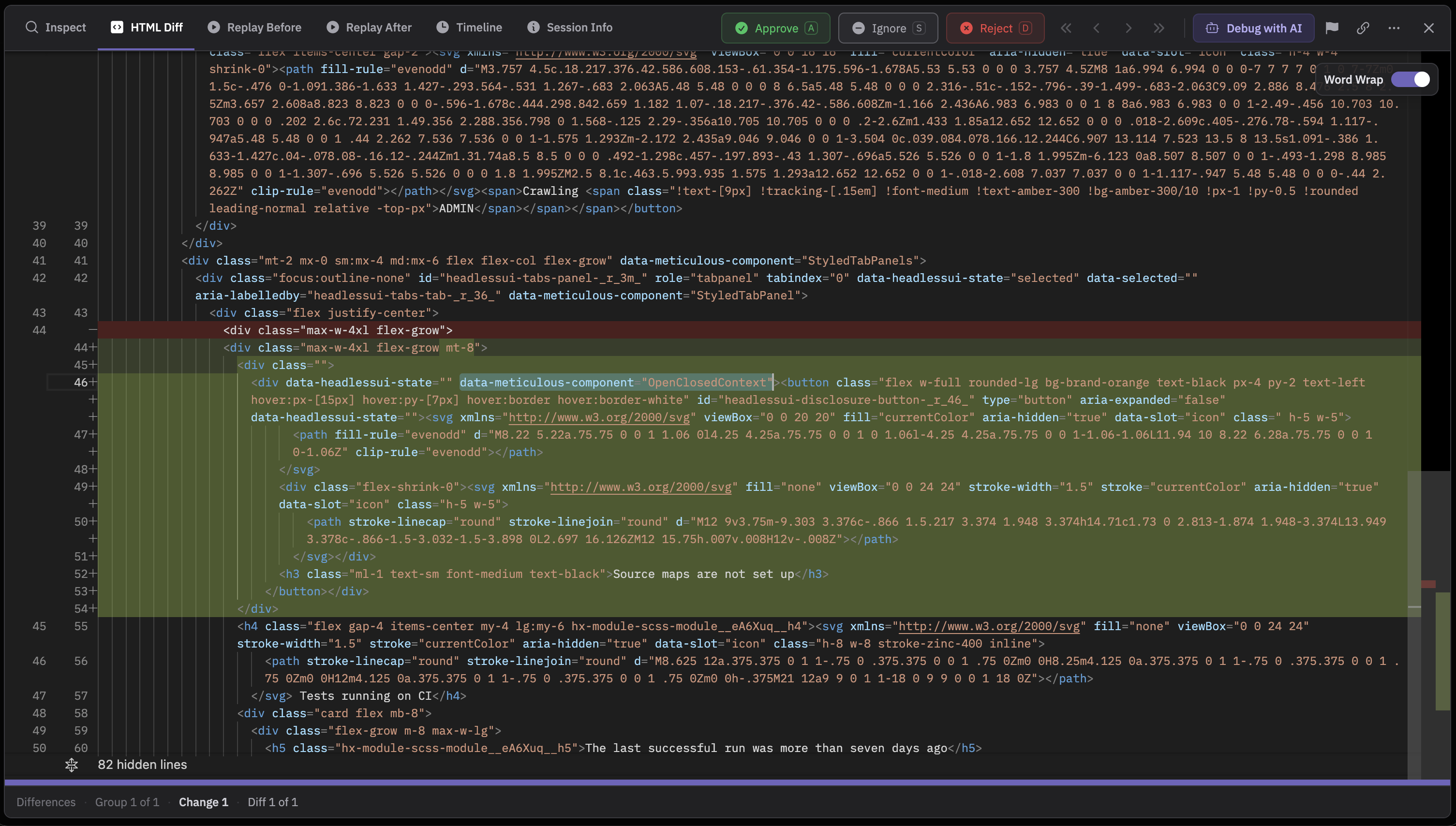
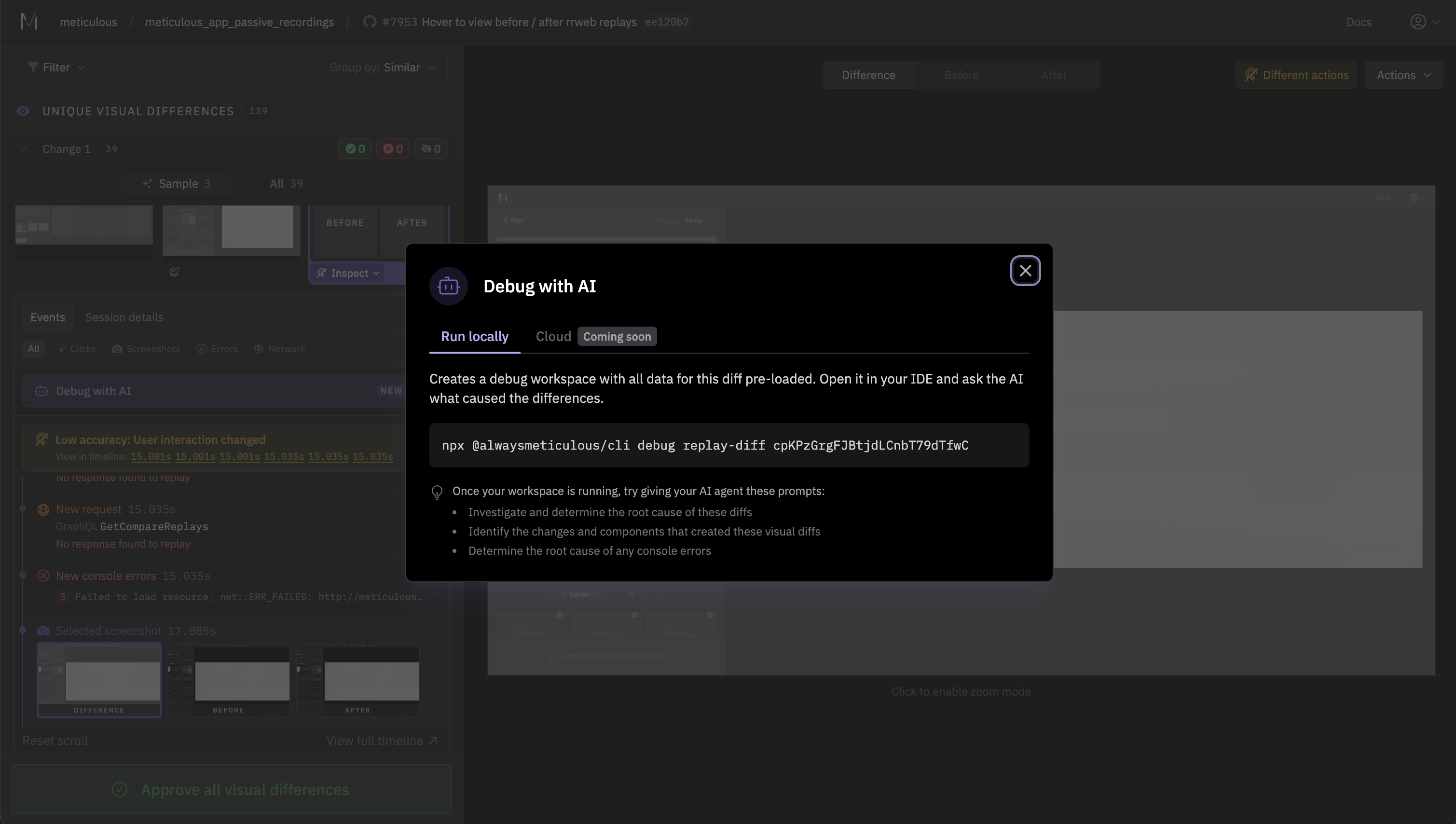
When a test failure has you scratching your head, and even the newly redesigned inspect panel cannot save you, there is now a "Debug with AI" button right in the Meticulous UI. It sets up an AI-assisted debugging workspace, so you can investigate what went wrong without having to piece together CLI commands. Think of it as pair-debugging with someone who already has all the context loaded. If you'd rather give agents direct access to your Meticulous test runs through the CLI, we recommend adding these new skills. We're going deep on agentic workflows - if you have thoughts on what would be most useful, we're all ears.

Debug with AI Popover

...and more

  • ๐Ÿ”— Combined PR Comments โ€“ If you have multiple Meticulous projects in one repo, results now appear in a single PR comment instead of cluttering your PR thread.
  • ๐Ÿงช Smarter Network Patching โ€“ Several improvements to how we match and repair API responses, meaning fewer false diffs caused by stale mocks.
  • โš™๏ธ Self-Serve Network Settings โ€“ Request and response size limits (and other settings that used to require contacting us) are now available in your project settings.
  • ๐Ÿงต Test Runs Threaded by PR โ€“ The project test runs page now groups runs by pull request, so older runs collapse under the latest instead of filling your screen.
  • ๐Ÿ’จ Session Acceleration โ€“ We're actively working on making Meticulous test runs faster.

App container uploads and a redesigned test run default view

Upload your app as a Docker container for test replays, a redesigned test run landing page, and more.

๐Ÿ“ฆ App Container Uploads

Meticulous now runs reliably against complex server-side rendered apps and custom build pipelines, without preview URLs or the tunnel. You can now upload your app as a Docker container for Meticulous to run test replays against. This gives teams a more reliable, faster, and cheaper way to run Meticulous. You should only switch if you're not using the static asset upload method. See docs for more info.

๐Ÿงช Test Run Default View Improvements

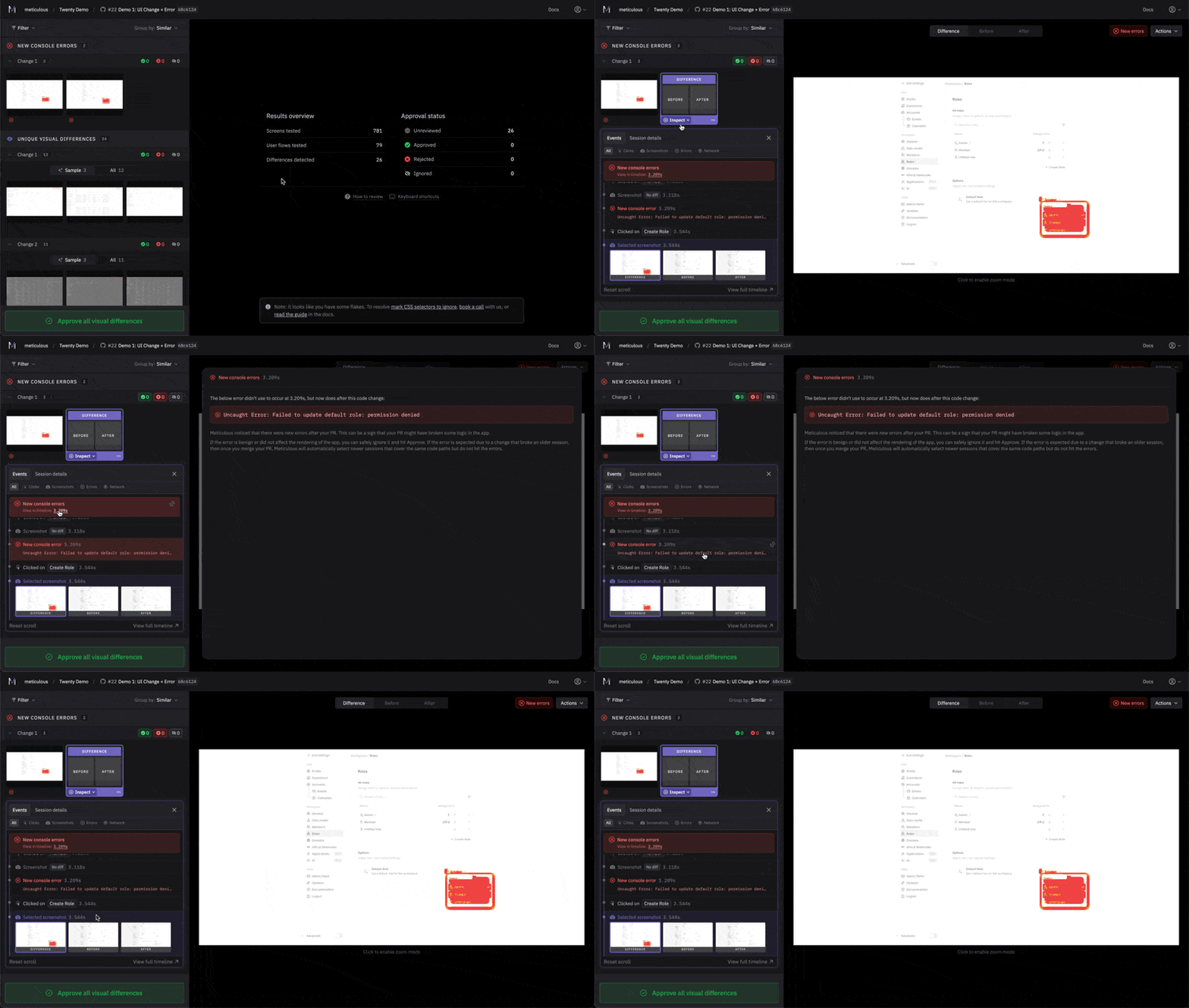
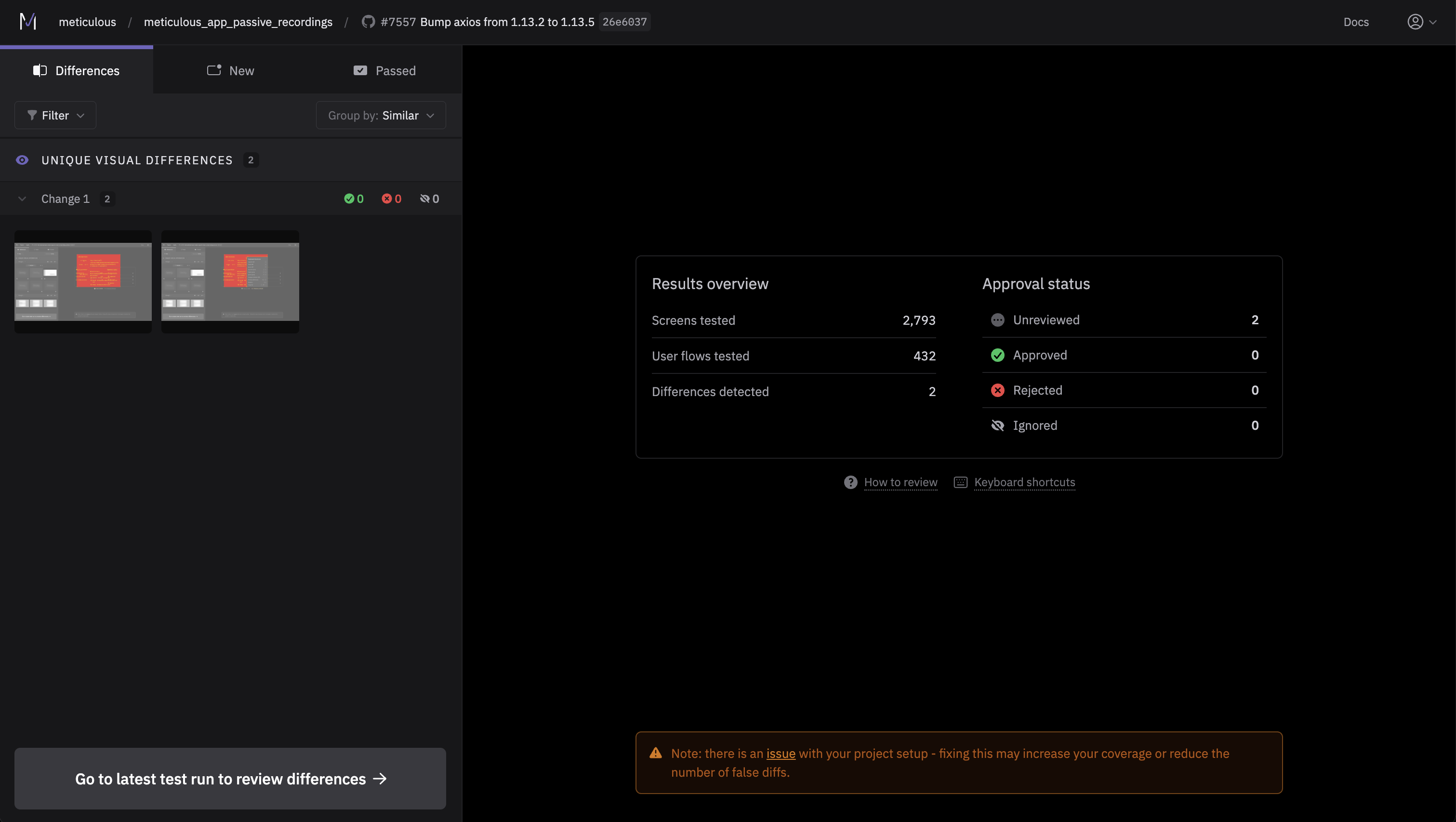
We've redesigned the content on the test run landing page to provide more helpful information including: sessions run, approvals, an updated "how to review" section, and keyboard shortcuts for our power users.

Test Run Default View

...and more

  • ๐Ÿ–ผ๏ธ Iframe Network Recording โ€“ Network requests inside iframes are now captured, improving coverage for apps with embedded content.
  • ๐ŸŒˆ Timeline Tab Improvements โ€“ Better colour scannability and filtering in the replay timeline view.
  • ๐Ÿ” Improved Divergence Details โ€“ Redesigned divergence information UI with clearer context on what changed and why, making it easier to understand diffs at a glance.
  • ๐Ÿ”— Stable Diff Links โ€“ We've updated our selected difference URL format to make sharing differences with other users smoother.
  • โšก Faster Session Repair โ€“ Core engineering work that significantly improves the speed of network patching.
  • ๐Ÿ” OAuth JWT Authentication โ€“ Added OAuth JWT to make Meticulous CLI commands easier to access.

Action menu redesign and per-session coverage view

A redesigned action menu, per-replay code coverage, and more.

๐Ÿ’… Action Menu Redesign

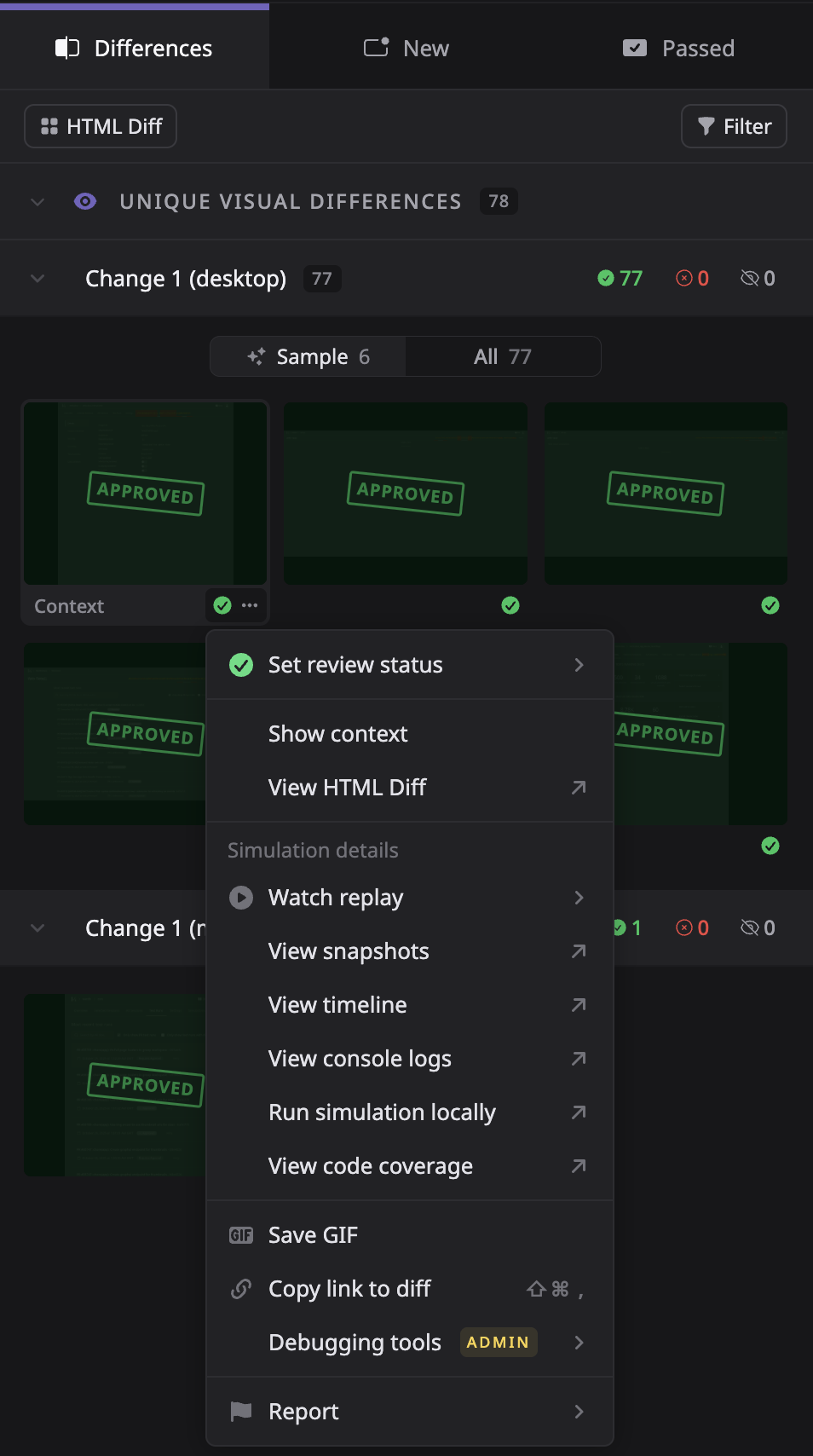
We've re-designed the action menu system with a cleaner, more consistent design. With even more actions, we've supercharged your ability to access platform functionality more easily, such as sharing differences, reporting flakes, displaying context of difference and more.

Action Menu Redesign

๐Ÿ” Per-Session Coverage View

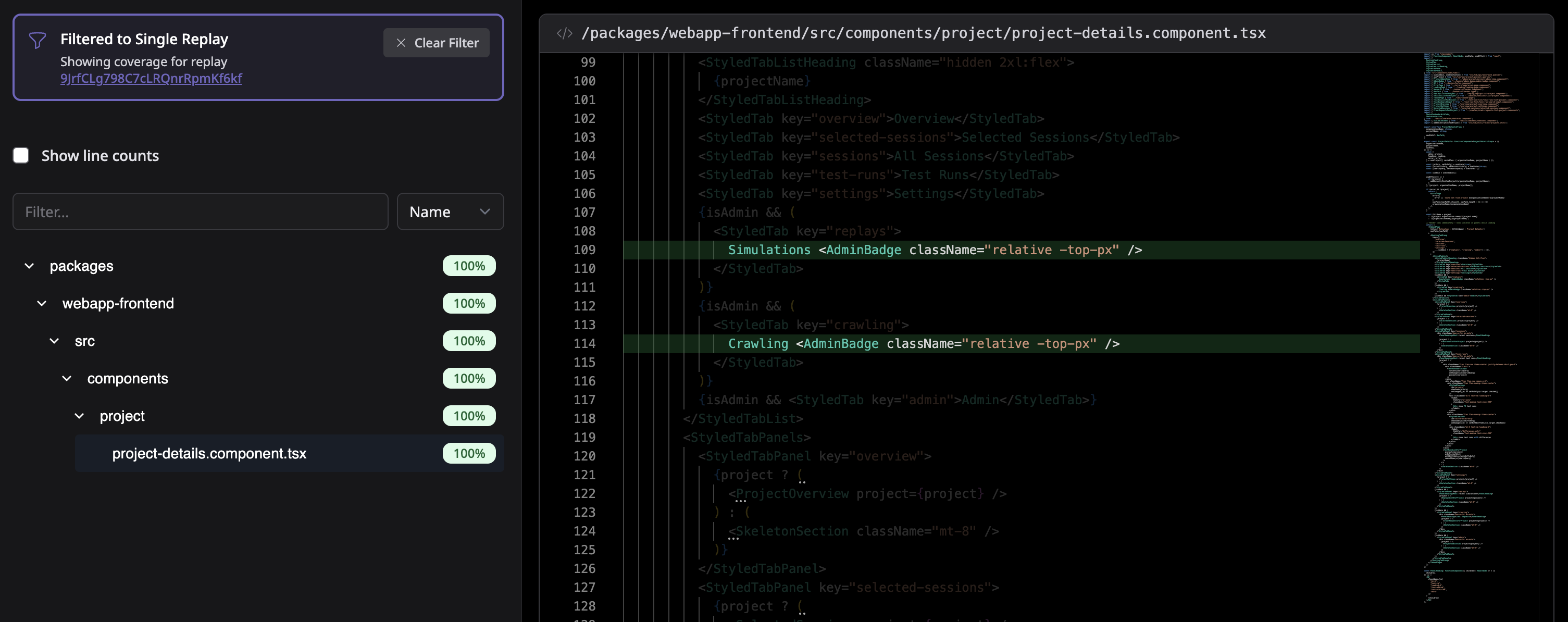
You can now view code coverage for individual replays - not just the entire test run. Use the action menu on any thumbnail and select "View Code Coverage" to see exactly which lines of code were exercised during that specific user flow.

Per-Session Coverage View

...and more

  • โœ… Filter by Approval State โ€“ We are continuing to improve the approval process, now allowing you to filter out differences you've already reviewed in prior test runs.
  • ๐Ÿท๏ธ Descriptive User Flow Titles โ€“ AI-generated session descriptions now appear as user flow titles when grouping by flow, instead of "User flow 1, 2, 3...".
  • ๐Ÿ“œ Diff Auto-scroll & Share โ€“ Automatically scroll to selected diffs and easily share links to specific differences.
  • ๐Ÿค– Improved AI Network Patching โ€“ Upgraded parsing engine for more reliable mock generation.
  • โšก Faster Large Test Runs โ€“ Significant frontend performance improvements when reviewing test runs with 1000+ differences.
  • ๐Ÿ–ผ๏ธ Better Iframe Handling โ€“ New replay engine to handle iframes to reduce flakiness in apps with embedded content.
  • ๐Ÿ”ง Improved CI Setup UX โ€“ Clearer CI integration setup flow with better guidance on configurations for setting up new projects.
  • ๐Ÿ”ก New Font โ€“ Better default font choice that improves the visual density and appearance of our UI.

Coverage alerts and advanced network patching

AI-summarized coverage alerts, an improved network patching engine, and more.

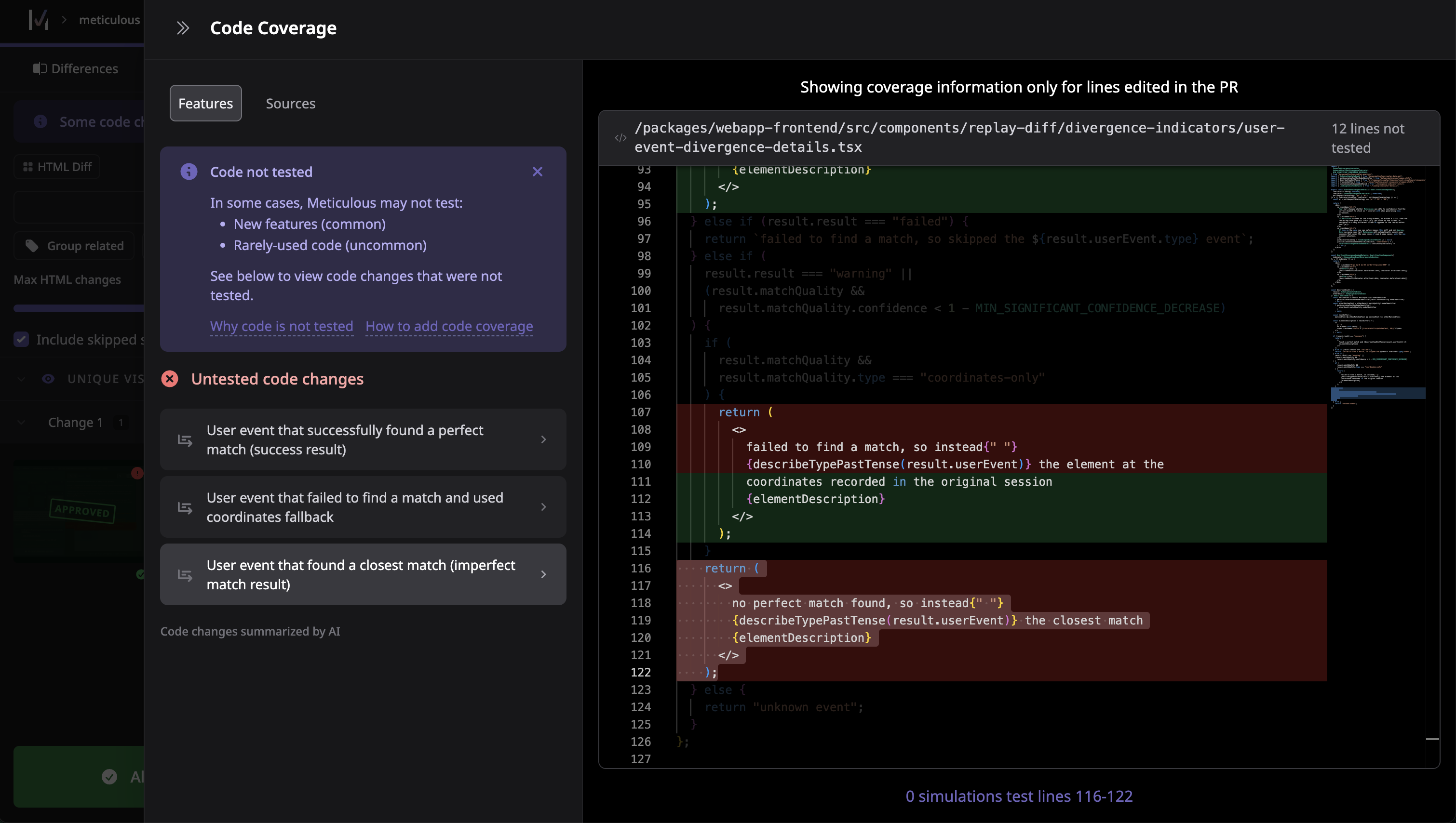
โ€ผ๏ธ Coverage Alerts (Beta)

We compute which of your code edits were not tested by Meticulous and leverage AI to summarise this for you. The new view accessible from the test run screen lets you see if any functionality affected by your PR was not able to be tested by Meticulous.

Code Coverage

๐Ÿช„๐ŸŒ Advanced Network Patching (Beta)

We've made huge strides in our approach to network patching, and we're introducing an improved engine to detect stale network mocks and synthetically generate new network mocks based on more recent session traffic.

...and more

  • โšก๏ธ Improved Low Bandwidth Experience โ€“ on the test run screen, we've modified image loading patterns for an improved experience on bad connections.
  • ๐ŸŽฏ Clearer Divergence Details โ€“ when Meticulous clicks on different elements in a user flow, you'll now see a much clearer description of what happened.
  • ๐Ÿ”Š AudioContext mocking โ€“ better handling of audio-based functionality.
  • โ˜๏ธ Faster cloud replays โ€“ infrastructure improvements for quicker test execution.

Left hand sidebar redesign and save diff GIFs

A redesigned left hand sidebar, saveable diff GIFs, and more.

Left Hand Sidebar Redesign

We've heard you loud and clear, the left hand sidebar was in major need of TLC. We've focused on breaking down the sidebar into more easily understandable states, giving you more access to functionality from the thumbnail gallery, and better separation of concepts through tabs.

Left Hand Sidebar Redesign

Save Diff GIFs ๐Ÿ’พ

Shoutout to the team at Notion for recommending this feature! Easily generate GIFs of a change to share outside of Meticulous (we used it to create the GIF above).

Save Diff GIF

...and more

  • ๐ŸŽฏ Improved element selection accuracy, correctly identifies elements to click on after refactors and redesigns in more edge cases.
  • ๐Ÿš€ Faster test runs through improved parallelisation and waiting strategies.
  • ๐Ÿ•ด๏ธ Improved handling of hover states, drop-downs, and form elements during replay.
  • ๐Ÿ“ Improved handling of randomly generated Angular IDs.
  • ๐Ÿ•ต๏ธโ€โ™‚๏ธ We're looking for beta testers for new private image recording functionality (images that require authentication to access), zero work on your side, just let us know and we'll enable the functionality to improve the fidelity of your test runs.